
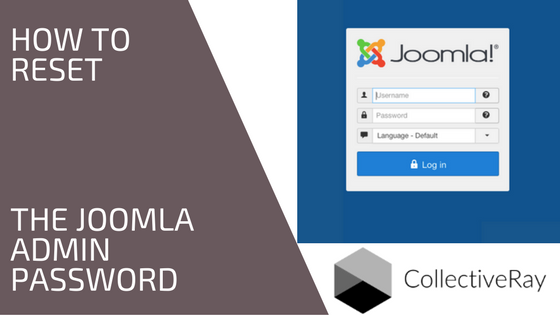
Do you need to reset password or Super User login?
Forgot your Joomla password? Locked out of your administrator backend? Need to reset the J! credentials?
This happened to us quite a few times before we learned to store the passwords in a safe place. However, if you do forget or lose your super administrator login, there is a very easy way to reset the Joomla admin password (admin) without requiring any particular extensions.
We have the complete and easy steps Use the steps below to reset your Joomla login details.
1. How to Reset the User Credentials (the easy way)
The below more comples procedures are typically necessary if you don't have access to the email address associated with the administrator user.
But if you do have access, there is a very easy way to reset the credentials of the administrator.
The Joomla backend login screen also has a "Forgot your Password?" function. This is not hidden, but we weren't aware of it, so we're throwing it out there, just in case you didn't know about it!
Have a look at the screenshot below to see how to activate it.

2. How to reset your Joomla password through phpmyadmin
You can reset the Joomla admin password if you have access to PHPMyAdmin. Browse to PHPMyAdmin using the credentials which you should have available as part of your web hosting details (such as our InMotion VPS). You will need to access the Users table in phpMyAdmin.

- On the left, you will see 2 links, click on your Database name
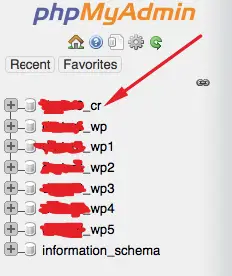
- You will see all the table names are prefixed with some letters, e.g. adfa_ The table names are on the right of the Underscore.
- Scroll down to the table xxxx_users, which is where the user credentials are stored and where we will reset the Joomla Administrator password

- Click on the ‘Browse‘ tab and find the admin user you want to change the password of
- Click on the ‘Pencil‘ to edit the Super Administrator user.

- Change the password drop down to ‘MD5′ as seen below.
- Enter your new login details in the text box beside it. Press Go to save.
 After following this procedure, your new credentials are in place. You will see on the next screen that the password field changed to a bunch of letters and numbers that you didn’t enter. That’s ok because that’s how MySQL stores your data.
You can go to your Administrator screen and try out the new login credentials you entered.
Do not delete or change any of the tables if you do not know what you are doing. You can potentially corrupt your database, lose information or delete your whole database.
Now that you've reset the credentials of the site, maybe you want to look at some excellent Joomla templates to take your site to the next level? Check out our list of best Joomla templates here: https://www.collectiveray.com/best-joomla-templates.
3. How to Create a new Joomla admin user using PhpMyAdmin
There could be many reasons why during some phase of your website design, you lose administrator access to your website. You might have forgotten the credentials of the administrator, or some other way got locked out of your backend.
It is easy to create a new administrator user via PHPMyAdmin on the hosting service of your website.
The following is a command which will add a new user to the Users table in the database!
The username is admin2 and the pass is "secret" (no quotes).
You simply need to enter the following command in the CPanel of your hosting company via PHPMyAdmin for your hosting database.
Once you enter the command below you can access the administrator backend. Don't forget to change the value from secret to something more secure to ensure your website doesn't get hacked!
NB. change XXX with the prefix of your database
INSERT INTO `XXX_users` (`name`, `username`, `password`, `params`, `registerDate`, `lastvisitDate`, `lastResetTime`)
VALUES ('Administrator2', 'admin2', 'd2064d358136996bd22421584a7cb33e:trd7TvKHx6dMeoMmBVxYmg0vuXEA4199', '', NOW(), NOW(), NOW());
INSERT INTO `XXX_user_usergroup_map` (`user_id`, `group_id`) VALUES (LAST_INSERT_ID(),'8');
Once you have logged in and restored the original user, DELETE the admin2 user, because the password is too easy and can be guessed.
4. Change the Joomla Admin Password with the Configuration File
If you know the password of another user, then you can use the method below to reset the password of the admin user. If not, you have to make use of one of the other methods.
You need to first access your Joomla sites files using FTP, SSH, or the cPanel Terminal to the configuration.php file.
Go to the document root of your Joomla site, then find and open the configuration.php file. You can now add a temporary super user account.
Add the line public $root_user='adminuser'; just before the closing }. Replace "adminuser" with the name of the user whose password you knpw.
Save your changes and close the configuration.php file. Now, log into Joomla using the credentials of the temporary super user you just added.
You can now reset the password of the other admin user. In the Joomla backend, head to the Users section. Find the other super user's account and change the password.
Please restore the configuration.php file to its original state by removing the line you added. If you changed the permissions during your journey, set them back to "444" to ensure the security of the file.
Looking for the default login or password?
The default Joomla login is "admin", however, you're out of luck if you are looking for a default password - so you won't be able to use a single value to access any installation of the CMS.
However, if you have access to the hosting account (did you know that InMotion can reset your credentials if you forgot them?), the CPanel, or the PHPMyAdmin of the J! installation, you can easily set a "Joomla default password". Follow the steps above to get access to your administrator user if you have forgotten the login credentials.
Frequently Asked Questions
How do I reset my Joomla admin password?
To reset your Joomla admin password, go to the Administrator login screen and click on the ? right next to the Password field. You will then be taken to a screen that will help you reset the password. If you are unable to do this and have access to your website's hosting, you can reset the password by accessing the users table of the database of your site via PHPMyadmin. We have step by step instructions in this article.
How do I recover my admin password?
You cannot recover the Joomla admin password because Joomla uses a one-way hash to encrypt the password in the database. However, it is quite easy to reset the Joomla admin password by finding the user in the Joomla users database table via PHPMyAdmin, and creating a new password using the MD5 field. We have clear step by step instructions in this article.
What is the default password for admin?
Joomla does not have a default password for admin, because a different password is created for every installation. However, you can reset the password via PHPMyAdmin and your hosting using the instructions in this article.



Please leave a useful comment with your thoughts, then share this on your Facebook group(s) who would find this useful and let's reap the benefits together. Thank you for sharing and being nice!
Disclosure: This page may contain links to external sites for products which we love and wholeheartedly recommend. If you buy products we suggest, we may earn a referral fee. Such fees do not influence our recommendations and we do not accept payments for positive reviews.





 and many more ...